Dashboard overview
The dashboard is your command center on moschee.io. See performance at a glance and access every feature of your organization.
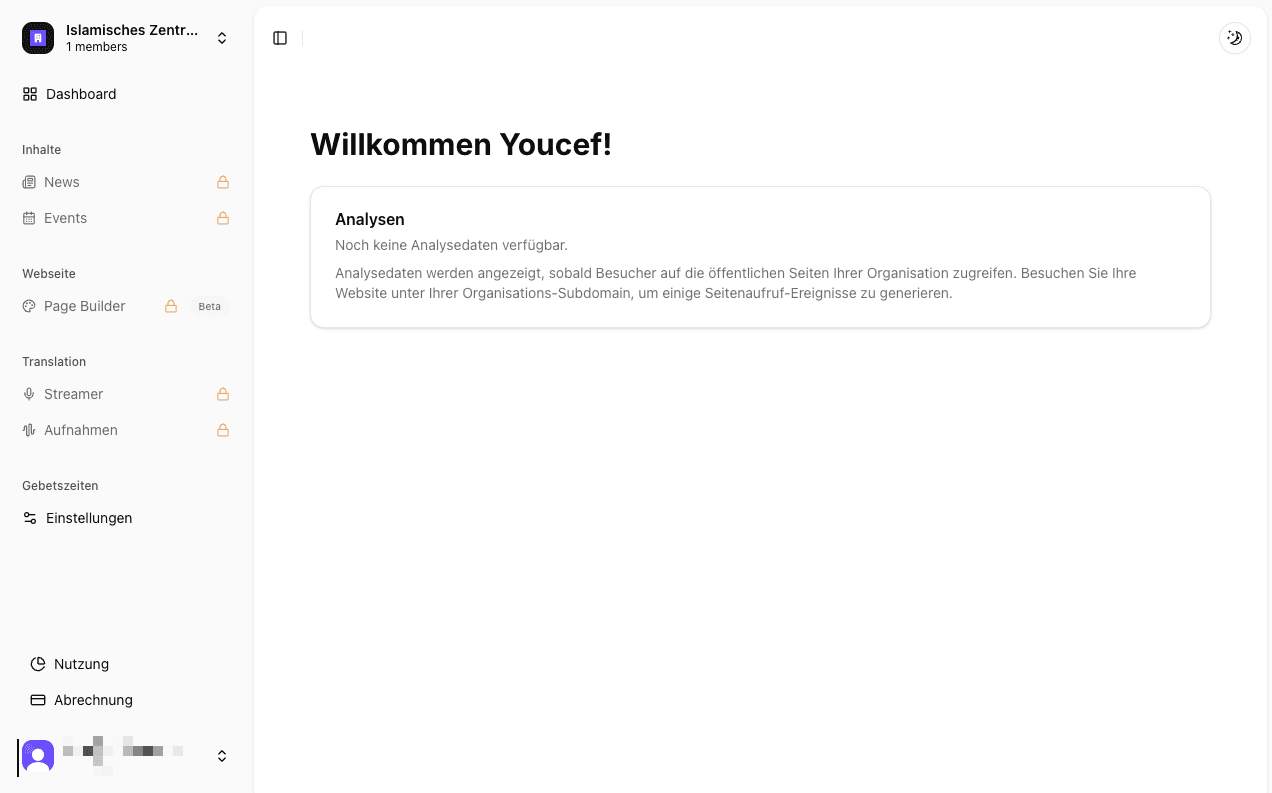
Available menu items vary depending on your plan, organization state, and permissions. Unavailable features may be hidden or shown as locked.
Dashboard layout
Sidebar (navigation)
The left sidebar is grouped to give you quick access to everything:
Main
- Dashboard – The start page with key analytics.
Content
- News – Create and manage announcements.
- Events – Plan events and manage schedules.
Website
- Page Builder – Design your website, manage menus, and page settings.
- Media Library – Central storage for images and files (visible when needed).
Streaming
- Streamer – Controls for live audio broadcasts (livestreaming).
- Recordings – Access to recorded broadcasts.
Prayer times
- Settings – Configure prayer and iqama times plus calculation methods.
Dashboard home (analytics)
The home view greets you with immediate insight into how your digital presence is performing.
Key metrics
- Growth trend: Graph of page views over time.
- Active sessions: Visitors active in the last 5 minutes.
- Unique visitors (30d): How many distinct people visited in the last month.
- Total page views: Overall number of pages viewed.
Detailed breakdowns
- Top pages: Which content is viewed the most.
- Top referrers: Where visitors come from (e.g., Google, social media).
- Device split: Are visitors using mobile or desktop more?
- Geo distribution: Which countries visitors come from.
- Exit pages: Where visitors most often leave your site.
Management & settings (footer)
At the bottom of the sidebar you’ll find key management tools:
- Usage (pie chart): Storage and resource limits overview.
- Billing (credit card): Manage subscriptions, invoices, and payment methods.
- User menu (your avatar):
- Account: Personal profile settings.
- Organization: Current mosque/organization settings.
- Sign out: Log out securely.
Navigation & organization
Switch team & organization
In the top-left of the sidebar is the team switcher. If you belong to multiple organizations, switch between them or create new ones here.